

01Overview
Students today rely heavily on AI tools for research, but often struggle to trust what they get back. AI makes answers easy to generate, but it lacks the transparency, credible sources and structured workflows that academic work needs.
02Challenge
Students using generative AI for academic research face several challenges
- Difficulty verifying AI-generated information
- Lack of credible and cited sources
- Unstructured outputs that don’t align with academic workflows
- Time-consuming process of cross-checking and organizing research
AI tools provide answers, but not trust, structure, or academic reliability
03Goal
Project goal
Design an AI-powered research assistant that helps students find credible information, verify AI outputs, and organize research in a structured and reliable way.
Target users: Health science students; students conducting academic research; users relying on AI for study support.
04Research
Research methods
To understand how students use AI in academic research, I combined qualitative and secondary research methods.
In-depth Interviews
Conducted 12 interviews with students to explore their research habits, how they use AI tools, and the challenges they face while verifying and organizing information. These sessions revealed real behaviors, pain points and trust concerns.
Surveys
I used surveys to validate patterns from the interviews, including how often students use AI, which tools they prefer and how they see AI in academic work.
Secondary Research
Reviewed existing articles, academic papers, and online resources to understand trends in AI-assisted learning, limitations of current tools, and emerging opportunities in this space.
05Insights
Key insights
Students use AI frequently
but don’t fully trust it
Verification of information
is manual and time-consuming
AI outputs are not structured
for academic use
Students need guidance,
not just answers
06Solution
CrediStudy AI
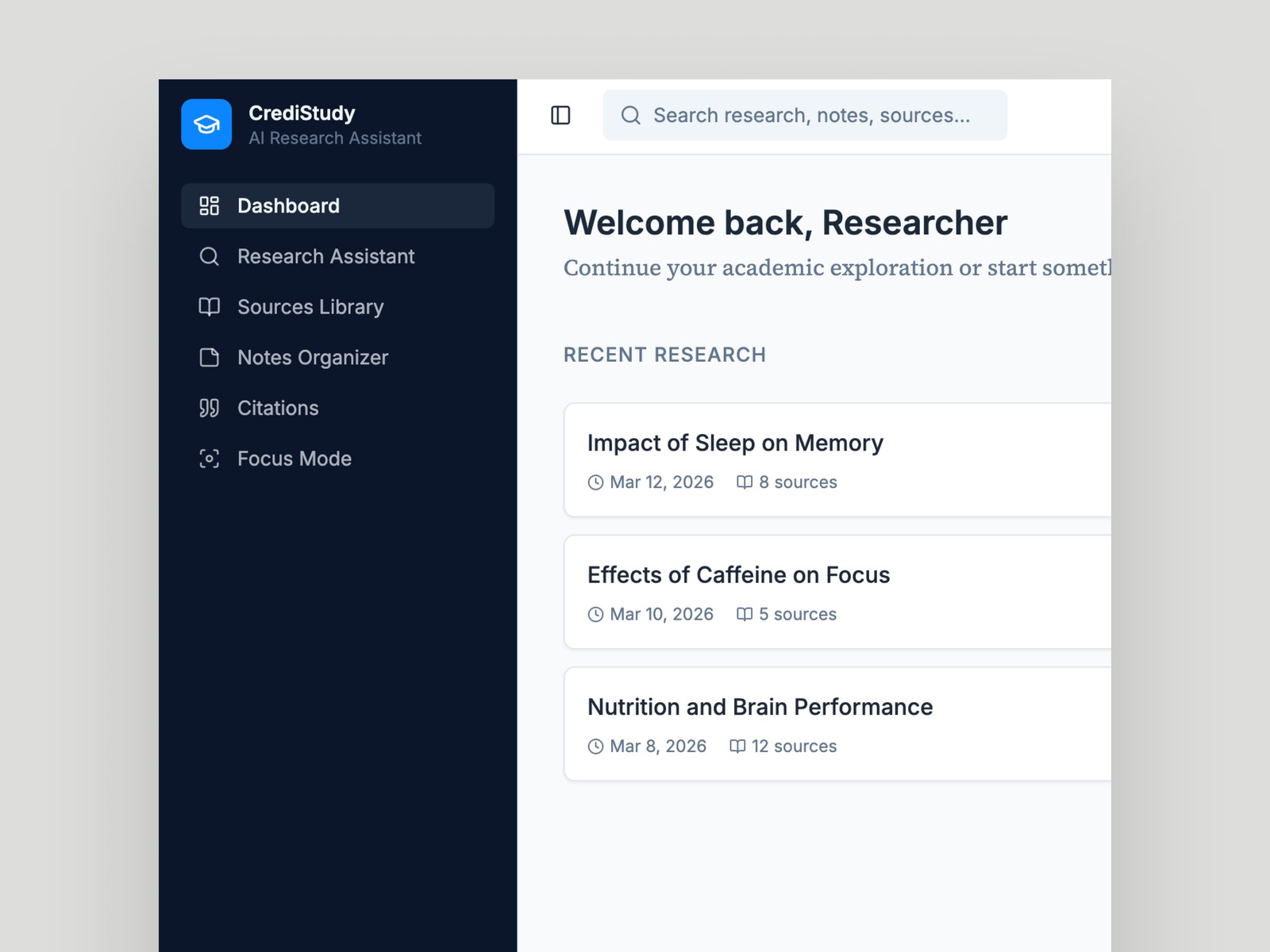
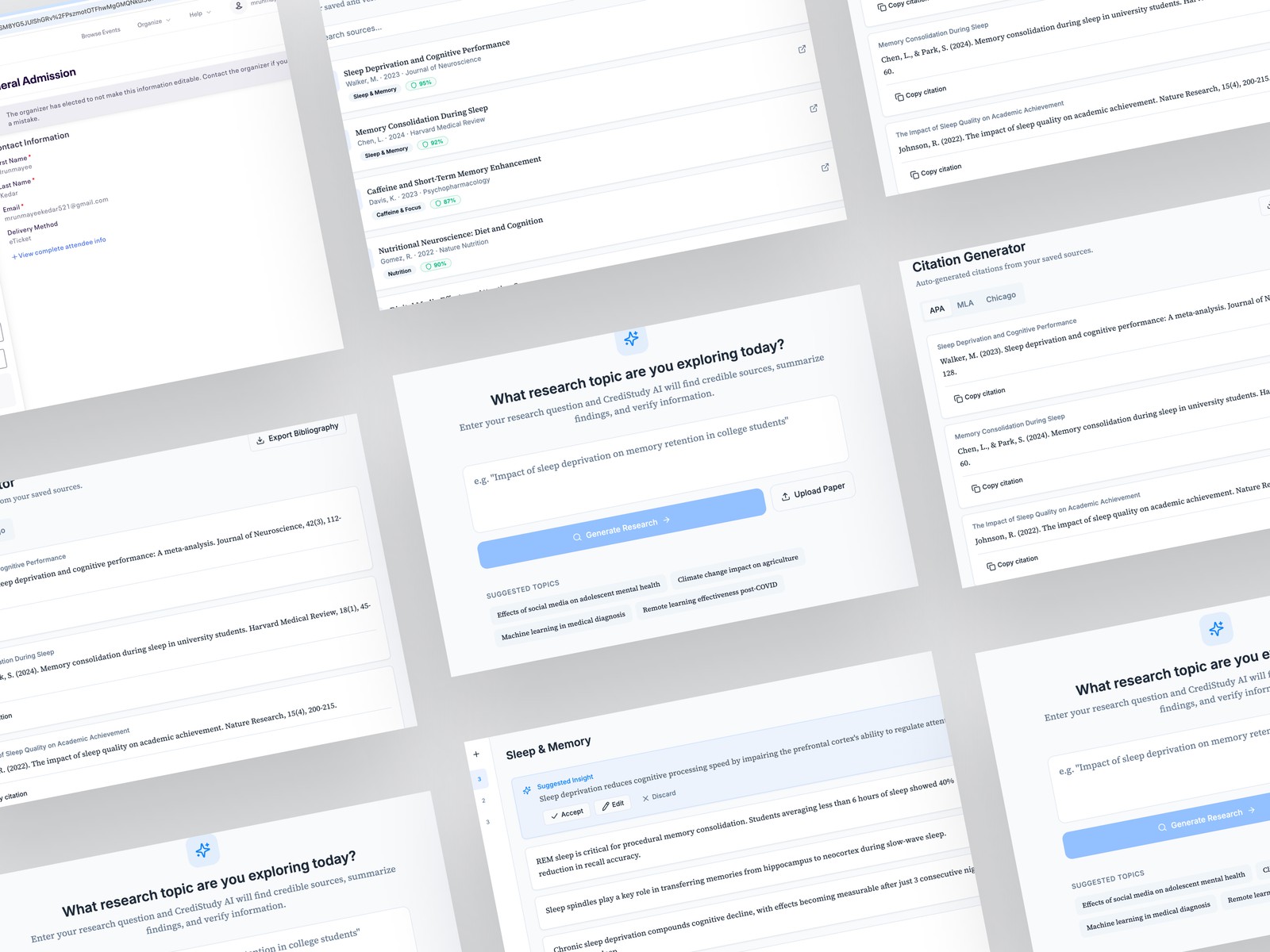
CrediStudy AI is a desktop-based research assistant designed to support students throughout their academic workflow. It combines AI-generated insights with credible academic sources, helping users verify information, organize research, and produce reliable outputs.
Unlike general AI tools, the platform focuses on transparency, structure, and academic credibility, so students can use AI in their research with confidence.
What it enables:
- Discover credible academic sources alongside AI-generated answers
- Verify information through source-backed responses
- Summarize complex research papers into clear insights
- Generate accurate citations in multiple formats
- Organize research notes in a structured workspace
The platform is designed as a complete research workspace, supporting users from discovery to final academic output. Instead of treating AI as a standalone tool, CrediStudy AI integrates it into a structured research system.
07Research results
Research results
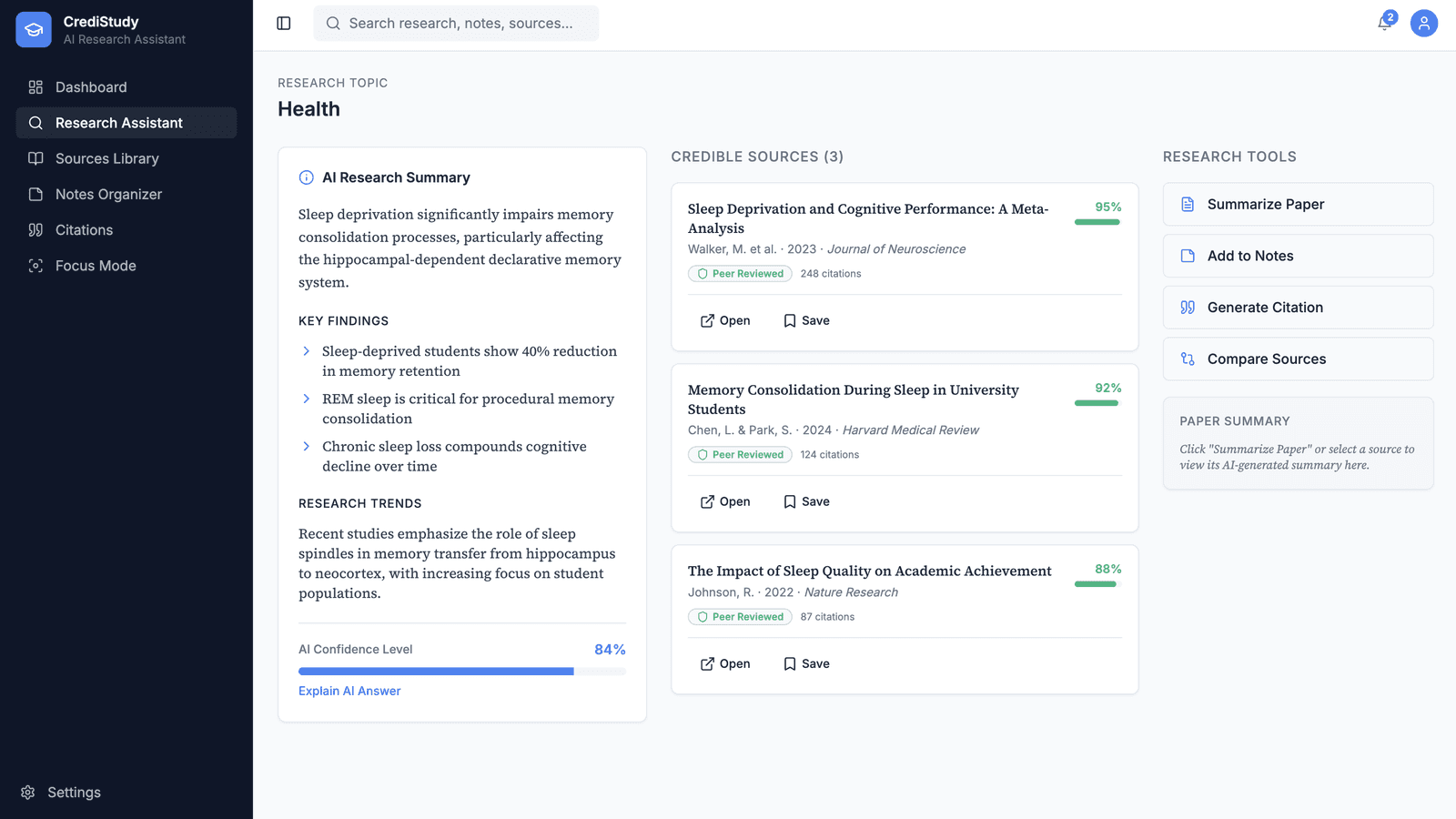
The Research Results screen is the core of the platform, where users receive AI-generated answers alongside credible academic sources. It allows users to explore, verify, and take action on research insights in a single workspace.
Side-by-side layout
Enables users to compare AI responses with sources, improving trust and transparency
Credibility indicators
Help users quickly assess the reliability of sources
Integrated actions
Save, note and cite without switching between tools
08Note organizer
Note organizer
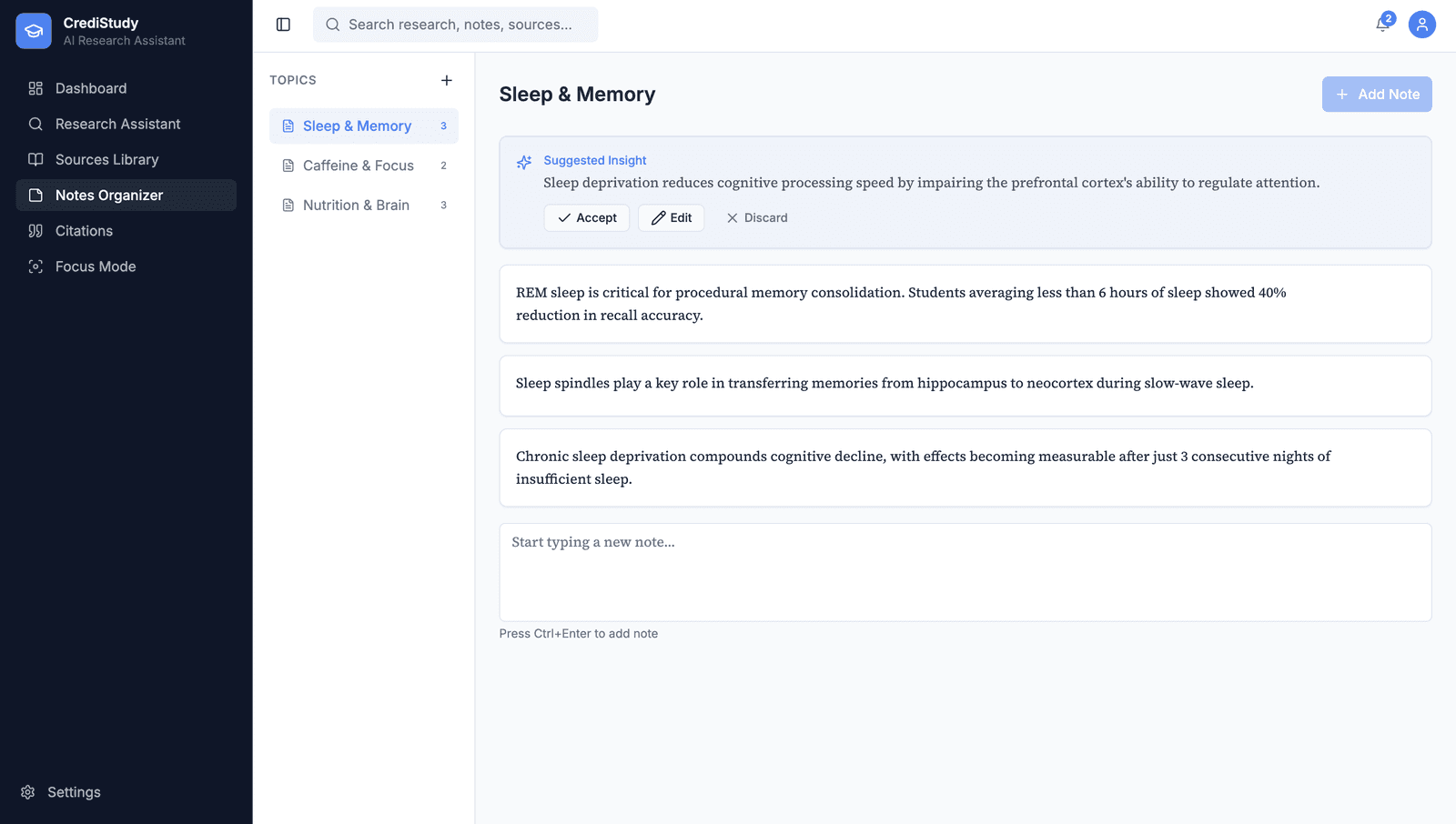
The Note Organizer helps users structure and refine their research findings in a clean, editable workspace, supporting better understanding and retention.
Notion-style layout
Allows flexible note-taking and organization
AI-assisted suggestions
Support users without taking control
Accept / Edit / Discard
Options ensure users stay in control of content
09Citations
Citations
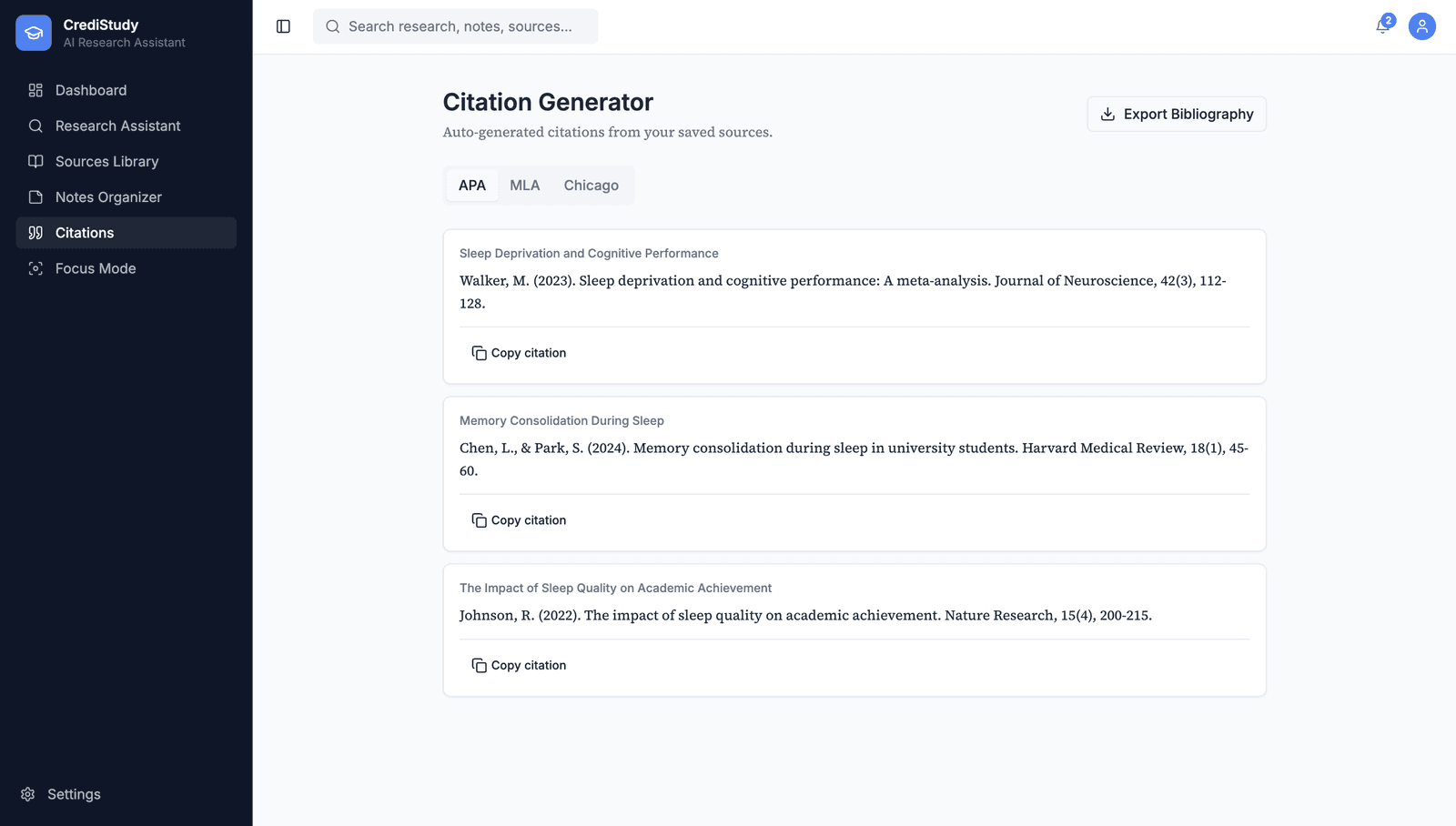
The Citations screen allows users to generate properly formatted references in multiple styles, making it easier to use research outputs directly in academic work.
Multiple format tabs
APA, MLA and Chicago for different academic needs
One-click copy
Reduces effort and prevents formatting errors
Clean layout
Keeps focus on readability and accuracy
10Experience flow
How it works, end to end
Search Topic → View AI Summary → Verify Sources → Save Insights → Organize Notes → Generate Citations
11Impact
- Improved trust in AI-assisted research through source-backed responses
- Reduced time spent verifying and organizing research
- Enabled a structured and efficient research workflow
- Supported better academic output through reliable information
12Learnings
What I learned
- AI tools must prioritize trust and transparency in academic contexts
- Users need guidance and structure, not just answers
- Designing for AI requires balancing automation with user control
- Research workflows are complex and require system-level thinking